25 Business Ideas Using Google Tools Only
Published: 14 Jul 2026
Starting an online business doesn’t always require expensive software or a big investment. With the right idea, you can build and grow a profitable business using Google’s free tools. From creating documents to managing clients and building websites, Google offers everything many beginners need in one place.
Whether you’re a student, freelancer, stay-at-home parent, or aspiring entrepreneur, this guide will show you practical Business Ideas Using Google Tools Only. These ideas are simple to start, beginner-friendly, and can be run from anywhere with an internet connection.
You’ll also discover how tools like Google Docs, Google Sheets, Google Drive, Google Forms, Google Sites, Google Business Profile, and Google Gemini can help you create services, organise your work, attract clients, and earn money online. Google’s Workspace ecosystem is designed to improve productivity and support small businesses with collaboration and AI-powered features.
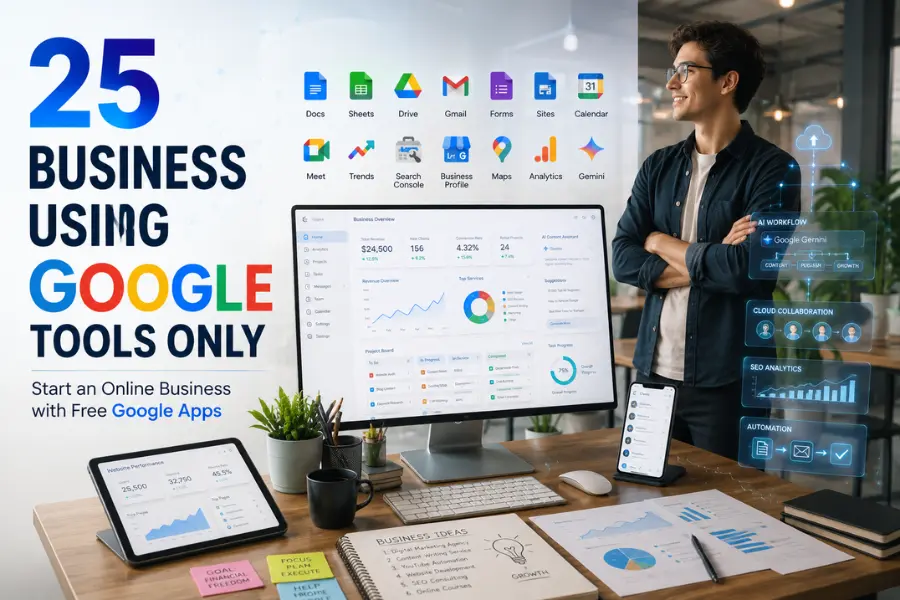
By the end of this article, you’ll have 25 proven business ideas, learn which Google tools for business fit each idea, and understand how to turn free Google apps into a real income opportunity. If you’re looking for a low-cost online business that relies on tools you may already use every day, you’re in the right place.
Why Google Tools Are Perfect for Starting a Business
Starting a business doesn’t have to be expensive. Many successful freelancers, consultants, and online entrepreneurs begin with Google’s free tools before investing in paid software. With just one Google account, you can access everything from document creation and cloud storage to video meetings, website building, and AI-powered assistance. Google Workspace is designed to help individuals and businesses work more efficiently while keeping their files organised and accessible.
Whether you’re launching a side hustle or building a full-time online business, Business Ideas Using Google Tools Only can help you reduce costs, improve productivity, and manage your work from anywhere. Here are the biggest reasons why Google tools are an excellent choice for beginners and small business owners.
Most Tools Are Free
One of the biggest advantages of Google tools is that many of them are available free of charge. You can use Google Docs, Google Sheets, Google Drive, Google Forms, Google Sites, and Gmail without paying for expensive software. This makes it easy to start a business even if you have a limited budget.
Easy to Learn
Google tools are designed with a simple and user-friendly interface. Even if you’ve never used them before, you can learn the basics quickly. Their clean layout and helpful features make them ideal for beginners who want to start working without spending weeks learning complicated software.
Work From Any Device
Your business doesn’t have to stay in one place. Google tools work on computers, laptops, tablets, and smartphones, allowing you to check emails, edit documents, join meetings, or manage projects wherever you are. This flexibility is perfect for freelancers and remote business owners.
Secure Cloud Storage
With Google Drive, your files are stored safely in the cloud instead of on a single device. This means you can access important documents anytime, share them with clients, and reduce the risk of losing your work if your computer is damaged or replaced.
AI-Powered Features
Google has added Gemini AI to many Workspace apps, helping users write documents, summarise information, analyse data, create presentations, and manage emails more efficiently. These AI-powered features can save time and help you complete tasks faster, making them valuable for growing an online business.
Easy Collaboration
If you work with clients, freelancers, or team members, Google tools make collaboration simple. Multiple people can edit the same document, spreadsheet, or presentation in real time, leave comments, and share feedback without sending files back and forth. This helps teams stay organised and productive.
Scalable as Your Business Grows
Google tools are suitable for both solo entrepreneurs and growing businesses. You can start with the free versions and later upgrade to Google Workspace if you need additional storage, business email, advanced security, or more collaboration features. This allows your tools to grow alongside your business without changing your workflow.
How Google’s FREE AI Tools Can Build a Full Business in 1 Day

What Google Tools Can You Use to Start a Business?
One of the biggest advantages of starting a business with Google is having access to a complete set of free and easy-to-use tools. Whether you want to create documents, manage clients, build a website, analyse your marketing, or organise daily tasks, Google has a tool that can help. Many of these apps also work together, making it easier to run your business from one account. Google Workspace brings together tools like Gmail, Docs, Drive, Meet, and Calendar to help businesses connect, create, and collaborate.
Below are the most useful Google tools for business and how each one can support your journey.
Google Docs
Google Docs is a cloud-based word processor that lets you create business proposals, resumes, contracts, blog posts, reports, and other documents. It also allows you to share files and collaborate with clients in real time.
Google Sheets
Google Sheets helps you organise data, manage budgets, track expenses, create invoices, monitor sales, and build useful business templates. It’s an excellent tool for managing business finances and records.
Google Slides
Use Google Slides to create professional presentations, client proposals, training materials, online courses, and marketing pitch decks. It is simple to use and supports team collaboration.
Google Drive
Google Drive provides secure cloud storage where you can save, organise, and share your business files. It also makes it easy to access documents from any device and safely back up important data.
Gmail
Gmail is more than just an email service. You can communicate with clients, send invoices, respond to enquiries, and manage your business conversations professionally from one inbox.
Google Forms
Google Forms allows you to create surveys, customer feedback forms, quizzes, registration forms, order forms, and lead generation forms without any coding knowledge.
Google Sites
With Google Sites, you can build a simple business website, online portfolio, or landing page without hiring a web developer. It’s a great option for beginners who need an online presence quickly.
Google Calendar
Google Calendar helps you schedule meetings, organise appointments, set reminders, and manage deadlines. It keeps your daily business activities organised and easy to track.
Google Meet
Google Meet lets you hold virtual meetings, online consultations, coaching sessions, interviews, and client presentations. It’s ideal for freelancers and remote business owners.
Google Gemini
Google Gemini is Google’s AI assistant that can help you brainstorm ideas, write content, summarise documents, analyse information, and improve productivity. It also integrates with several Google Workspace apps to speed up everyday tasks.
Google Trends
Google Trends shows what people are searching for online. You can use it to discover trending topics, validate business ideas, find seasonal opportunities, and create content that matches current demand.
Google Search Console
Google Search Console helps website owners monitor their site’s performance in Google Search. It provides insights into search traffic, keyword rankings, indexing status, and technical SEO issues, making it an essential tool for growing organic traffic.
Google Business Profile
If you run a local business, Google Business Profile helps your company appear on Google Search and Google Maps. You can display your contact information, opening hours, customer reviews, photos, and business updates to attract more local customers.
Google Maps
Google Maps helps customers find your business location, get directions, and leave reviews. It is especially valuable for restaurants, shops, service providers, and other location-based businesses.
Google Analytics
Google Analytics tracks your website visitors and shows how people interact with your content. You can monitor traffic sources, user behaviour, conversions, and other important metrics to improve your marketing strategy and grow your business.
25 Business Ideas Using Google Tools Only
Below is a quick overview of each business idea. Google Workspace combines tools like Docs, Sheets, Drive, Gmail, Meet, Calendar, Forms, Sites, and Gemini, making it possible to run many online businesses with minimal startup costs.
| Business Idea | What It Is | Google Tools You’ll Use | How to Make Money | Skill Level | Startup Cost | Best for Beginners? |
| 1. Resume Writing Business | Write professional resumes and cover letters for job seekers. | Docs, Drive, Gmail | Charge per resume or package. | Beginner | Free | Yes |
| 2. Business Proposal Writing Service | Create business proposals for startups and companies. | Docs, Drive | Charge per proposal or monthly. | Beginner | Free | Yes |
| 3. Blog Writing Agency | Write SEO blog posts for businesses and websites. | Docs, Gemini | Charge per article or content package. | Beginner | Free | Yes |
| 4. Virtual Assistant Business | Help clients manage emails, files, and schedules remotely. | Gmail, Calendar, Drive | Hourly or monthly retainer. | Beginner | Free | Yes |
| 5. Spreadsheet Template Store | Design and sell useful spreadsheet templates. | Sheets | Sell templates online. | Beginner | Free | Yes |
| 6. Budget Planner Business | Create budgeting and financial planning templates. | Sheets | Sell digital planners. | Beginner | Free | Yes |
| 7. Invoice Template Business | Design professional invoice templates for freelancers. | Sheets | Sell templates or custom invoices. | Beginner | Free | Yes |
| 8. Online Survey Service | Build surveys for businesses and organisations. | Forms, Sheets | Charge per survey project. | Beginner | Free | Yes |
| 9. Event Registration Business | Create online registration forms for events. | Forms | Charge event setup fees. | Beginner | Free | Yes |
| 10. Digital Portfolio Creation | Build portfolio websites for freelancers and students. | Sites, Drive | Charge per website. | Beginner | Free | Yes |
| 11. Small Business Website Setup | Create simple websites for local businesses. | Sites | Website setup and maintenance fees. | Beginner | Free | Yes |
| 12. Local SEO Consultation | Improve local business visibility on Google. | Business Profile | Monthly SEO services. | Intermediate | Free | Yes |
| 13. Google Maps Optimization Service | Optimise Google Maps listings for businesses. | Maps, Business Profile | Charge for optimisation. | Intermediate | Free | Yes |
| 14. Keyword Research Service | Find profitable keywords for websites. | Trends, Search Console | Sell keyword reports. | Intermediate | Free | Yes |
| 15. Content Research Business | Research trending content ideas for clients. | Trends, Gemini | Monthly content planning. | Beginner | Free | Yes |
| 16. Email Management Service | Organise and manage business email inboxes. | Gmail | Hourly or monthly fee. | Beginner | Free | Yes |
| 17. Appointment Scheduling Service | Manage appointments and calendars for clients. | Calendar | Monthly scheduling service. | Beginner | Free | Yes |
| 18. Online Tutoring Business | Teach students through live online classes. | Meet, Docs | Charge per lesson or course. | Beginner | Free | Yes |
| 19. Online Workshop Business | Host live training sessions and workshops. | Meet, Slides | Sell workshop tickets. | Intermediate | Free | Yes |
| 20. Presentation Design Service | Design business presentations and pitch decks. | Slides | Charge per presentation. | Beginner | Free | Yes |
| 21. AI Prompt Writing Business | Create prompts for businesses using AI. | Gemini | Sell prompt packs or custom prompts. | Beginner | Free | Yes |
| 22. Content Repurposing Service | Turn one piece of content into multiple formats. | Gemini, Docs | Charge per project or monthly. | Beginner | Free | Yes |
| 23. Research Assistant Business | Research and organise information for clients. | Gemini, Drive | Hourly or project-based fees. | Beginner | Free | Yes |
| 24. Analytics Reporting Service | Create website performance reports. | Analytics, Sheets | Monthly reporting packages. | Intermediate | Free | Yes |
| 25. Digital Business Documentation Service | Prepare business documents, forms, and SOPs. | Docs, Drive, Forms | Charge per document or package. | Beginner | Free | Yes |
This table provides a clear comparison of 25 Business Ideas Using Google Tools Only, making it easy for readers to identify a business that matches their skills, budget, and goals while showcasing how Google’s integrated tools can support entrepreneurs.

Here are the details below:
1. Resume Writing Business (Google Docs)
A resume writing business is one of the easiest Business Ideas Using Google Tools Only because you can help job seekers create professional resumes and cover letters using Google Docs. Many people struggle to present their skills effectively, creating a strong demand for resume writing services.
Google Docs provides ready-made templates, cloud-based editing, and real-time collaboration, making it easy to work with clients from anywhere. You can also use Google Gemini to improve wording, generate ideas, and polish resumes more efficiently. Google Workspace supports document creation and collaboration, making it suitable for freelance writing businesses.
Google tools you’ll use
- Google Docs
- Google Drive
- Gmail
- Google Gemini
How to make money
Charge per resume, offer cover letter packages, or provide LinkedIn profile optimisation as an extra service.
Skill Level: Beginner
Startup Cost: Free
Best for Beginners? Yes
2. Business Proposal Writing Service (Google Docs + Google Drive)
Many startups and small businesses need professional business proposals to win clients or secure funding. If you have good writing skills, you can create customised proposals using Google Docs and safely store and share them through Google Drive.
Working in the cloud allows clients to review documents, leave comments, and request changes without downloading files. This makes the editing process faster and more organised. Google Workspace is designed to simplify document sharing and team collaboration.
Google tools you’ll use
- Google Docs
- Google Drive
- Gmail
- Google Meet
How to make money
Charge a fixed fee for each proposal or offer monthly proposal-writing services for businesses.
Skill Level: Beginner to Intermediate
Startup Cost: Free
Best for Beginners? Yes
3. Blog Writing Agency (Google Docs + Google Gemini)
Businesses constantly need blog content to attract customers and improve their search engine rankings. You can start a blog writing agency by creating SEO-friendly articles with Google Docs while using Google Gemini to brainstorm ideas, create outlines, and improve productivity.
As your client base grows, you can hire additional writers and manage projects through Google Drive, making this business easy to scale without investing in expensive software. Gemini can assist with drafting and refining content within Google Workspace.
Google tools you’ll use
- Google Docs
- Google Gemini
- Google Drive
- Gmail
How to make money
Charge per article, monthly content packages, or long-term blogging contracts.
Skill Level: Beginner
Startup Cost: Free
Best for Beginners? Yes
4. Virtual Assistant Business (Gmail + Google Calendar + Google Drive)
A virtual assistant business involves helping busy entrepreneurs manage emails, schedules, files, appointments, and daily administrative tasks. Many business owners are willing to pay for reliable virtual support.
Using Gmail, Google Calendar, and Google Drive, you can organise meetings, manage documents, schedule appointments, and communicate professionally with clients. Since everything is cloud-based, you can work remotely from almost anywhere. Google Workspace combines email, storage, calendars, and collaboration tools in one platform.
Google tools you’ll use
- Gmail
- Google Calendar
- Google Drive
- Google Meet
How to make money
Charge hourly, weekly, or monthly retainer fees for virtual assistant services.
Skill Level: Beginner
Startup Cost: Free
Best for Beginners? Yes
5. Spreadsheet Template Store (Google Sheets)
If you enjoy organising data, you can create and sell Google Sheets templates for budgeting, expense tracking, project management, meal planning, invoices, or business planning. Once created, these templates can generate passive income through multiple sales.
Customers simply make a copy of your template into their own Google account, making delivery quick and automatic. You can also expand your collection over time to reach different audiences such as students, freelancers, and small business owners.
Google tools you’ll use
- Google Sheets
- Google Drive
- Gmail
- Google Sites
How to make money
Sell spreadsheet templates individually or as premium template bundles through online marketplaces or your own website.
Skill Level: Beginner
Startup Cost: Free
Best for Beginners? Yes
6. Budget Planner Business (Google Sheets)
A budget planner business is a great way to earn passive income by creating easy-to-use budgeting templates for individuals, families, students, and small business owners. Many people want a simple way to track their income and expenses but don’t have the time to build their own spreadsheets.
With Google Sheets, you can design monthly budget planners, savings trackers, debt payoff calculators, and financial planning templates that customers can copy and use instantly. Since Sheets is cloud-based, users can access and update their budgets from any device.
Google tools you’ll use
- Google Sheets
- Google Drive
- Gmail
- Google Sites
How to make money
Sell individual budget templates, financial planners, or premium template bundles through your website or digital marketplaces.
Skill Level: Beginner
Startup Cost: Free
Best for Beginners? Yes
7. Invoice Template Business (Google Sheets)
Small businesses and freelancers often need professional invoices but don’t want to pay for expensive accounting software. You can create attractive invoice templates in Google Sheets that automatically calculate totals, taxes, and balances.
Once you’ve designed several templates for different industries, you can sell them repeatedly as digital products. This business requires very little maintenance after the templates are created, making it an excellent source of passive income. Google Workspace makes it easy to create, store, and share spreadsheet-based templates.
Google tools you’ll use
- Google Sheets
- Google Drive
- Gmail
- Google Docs
How to make money
Sell invoice templates individually, offer business template bundles, or create customised invoices for clients.
Skill Level: Beginner
Startup Cost: Free
Best for Beginners? Yes
8. Online Survey Service (Google Forms)
Many companies, schools, and organisations need surveys to collect customer feedback, employee opinions, or market research. You can start an online survey service by creating professional surveys with Google Forms and helping clients analyse the responses.
Google Forms allows you to build customised forms, collect responses in real time, and automatically send data to Google Sheets for reporting. This makes it a simple but valuable service for businesses of all sizes.
Google tools you’ll use
- Google Forms
- Google Sheets
- Google Drive
- Gmail
How to make money
Charge clients to create surveys, analyse results, or manage ongoing feedback campaigns.
Skill Level: Beginner
Startup Cost: Free
Best for Beginners? Yes
9. Event Registration Business (Google Forms)
Businesses, schools, and community groups regularly organise workshops, webinars, and conferences that require online registration. You can help them manage attendee registrations using Google Forms without the need for expensive event software.
Create branded registration forms, collect participant details, organise responses in Google Sheets, and share attendee lists with your clients. Google Forms automatically gathers responses, making event management faster and more organised.
Google tools you’ll use
- Google Forms
- Google Sheets
- Google Drive
- Gmail
How to make money
Charge a setup fee for each event or offer complete event registration management services.
Skill Level: Beginner
Startup Cost: Free
Best for Beginners? Yes
10. Digital Portfolio Creation (Google Sites)
Many freelancers, photographers, writers, designers, and students need a professional online portfolio to showcase their work. Using Google Sites, you can create clean and responsive portfolio websites without coding experience.
Google Sites allows you to add text, images, videos, documents, and contact forms in just a few clicks. You can also connect files stored in Google Drive, making it easy to update client portfolios whenever needed. Google Workspace includes Google Sites as a simple website-building tool for business and project websites.
Google tools you’ll use
- Google Sites
- Google Drive
- Google Docs
- Gmail
How to make money
Charge clients for portfolio website creation, updates, maintenance, or personal branding packages.
Skill Level: Beginner
Startup Cost: Free
Best for Beginners? Yes
11. Small Business Website Setup (Google Sites)
Many local businesses need a simple website but don’t have the budget to hire a web developer. You can start a small business website setup service using Google Sites to create clean, mobile-friendly websites for restaurants, salons, consultants, tutors, and other small businesses.
Google Sites lets you build websites without coding and easily connect documents, images, forms, and other Google services. It’s an excellent option for businesses that need an affordable online presence quickly.
Google tools you’ll use
- Google Sites
- Google Drive
- Google Docs
- Gmail
How to make money
Charge a one-time fee for website creation or offer monthly website maintenance and updates.
Skill Level: Beginner
Startup Cost: Free
Best for Beginners? Yes
12. Local SEO Consultation (Google Business Profile)
Local businesses want to appear higher in Google Search and Google Maps. As a Local SEO consultant, you can help business owners optimise their Google Business Profile, improve their business information, and attract more local customers.
Your services can include updating business details, selecting the right categories, adding photos, managing reviews, and improving local visibility. Google Business Profile now also works with Google Gemini, allowing businesses to analyse insights, draft review responses, and manage profile information more efficiently.
Google tools you’ll use
- Google Business Profile
- Google Maps
- Google Search
- Google Gemini
How to make money
Charge clients for profile setup, optimisation, monthly management, or local SEO consulting packages.
Skill Level: Intermediate
Startup Cost: Free
Best for Beginners? Yes, after learning the basics of local SEO.
13. Google Maps Optimization Service
Many businesses have a Google Maps listing but don’t know how to optimise it for better visibility. You can offer a Google Maps optimisation service by helping businesses improve their listings so more local customers can find them.
Your work may include correcting business information, choosing accurate categories, uploading quality photos, encouraging customer reviews, and keeping the profile updated. A well-managed listing increases trust and can lead to more calls, directions, and website visits.
Google tools you’ll use
- Google Maps
- Google Business Profile
- Google Search
- Google Gemini
How to make money
Offer one-time optimisation services or monthly local listing management.
Skill Level: Intermediate
Startup Cost: Free
Best for Beginners? Yes
14. Keyword Research Service (Google Trends + Google Search Console)
Website owners, bloggers, and businesses need the right keywords to attract visitors. You can start a keyword research service by using Google Trends to discover popular search topics and Google Search Console to analyse website performance and identify keyword opportunities.
Create keyword reports, content ideas, and SEO recommendations that help clients improve their search rankings. Google’s free SEO tools provide valuable search data for website optimisation.
Google tools you’ll use
- Google Trends
- Google Search Console
- Google Sheets
- Google Docs
How to make money
Sell keyword research reports, SEO audits, or monthly content planning services.
Skill Level: Intermediate
Startup Cost: Free
Best for Beginners? Yes, with basic SEO knowledge.
15. Content Research Business (Google Trends + Google Gemini)
Content creators and businesses often struggle to find fresh topics that people actually want to read. A content research business helps clients discover trending topics, answer common customer questions, and plan high-quality content using Google Trends and Google Gemini.
Google Trends helps you identify rising search interests, while Gemini can assist with brainstorming blog ideas, content outlines, and marketing angles. This combination allows you to deliver valuable content strategies without investing in expensive research tools. Google’s AI features are designed to help businesses save time and improve productivity.
Google tools you’ll use
- Google Trends
- Google Gemini
- Google Docs
- Google Sheets
How to make money
Charge for content research, editorial calendars, blog topic planning, or monthly content strategy packages.
Skill Level: Beginner to Intermediate
Startup Cost: Free
Best for Beginners? Yes
16. Email Management Service (Gmail)
Many business owners receive dozens of emails every day and struggle to keep their inbox organised. An email management service helps clients sort messages, respond to enquiries, organise folders, remove spam, and maintain a clean inbox using Gmail.
You can also create email filters, labels, and templates to save your clients time. As your business grows, you can offer additional services like customer support, follow-up emails, and newsletter management. Gmail works seamlessly with other Google Workspace apps, making it easy to manage communication from one platform.
Google tools you’ll use
- Gmail
- Google Drive
- Google Calendar
- Google Meet
How to make money
Charge an hourly rate, weekly package, or monthly retainer for managing business emails.
Skill Level: Beginner
Startup Cost: Free
Best for Beginners? Yes
17. Appointment Scheduling Service (Google Calendar)
Many consultants, coaches, doctors, tutors, and service providers need help managing appointments. You can start an appointment scheduling service using Google Calendar to organise bookings, send reminders, and avoid scheduling conflicts.
Google Calendar lets you create shared calendars, schedule meetings, and coordinate appointments with clients. It also integrates with Gmail and Google Meet, making it easy to manage both online and in-person meetings from one place.
Google tools you’ll use
- Google Calendar
- Gmail
- Google Meet
- Google Drive
How to make money
Offer appointment setup, calendar management, and scheduling services on a monthly or hourly basis.
Skill Level: Beginner
Startup Cost: Free
Best for Beginners? Yes
18. Online Tutoring Business (Google Meet + Google Docs)
If you’re knowledgeable in a particular subject, you can start an online tutoring business using Google Meet for live classes and Google Docs for lesson notes, assignments, and study materials.
Students can join lessons from anywhere, while shared documents make it easy to collaborate, review homework, and provide feedback. This business works well for academic subjects, language learning, professional skills, and exam preparation. Google Workspace combines video meetings, document sharing, and cloud storage in one platform.
Google tools you’ll use
- Google Meet
- Google Docs
- Google Drive
- Gmail
How to make money
Charge per lesson, weekly classes, monthly tutoring packages, or group sessions.
Skill Level: Beginner to Intermediate
Startup Cost: Free
Best for Beginners? Yes
19. Online Workshop Business (Google Meet + Google Slides)
An online workshop business allows you to teach practical skills to groups of people through live virtual sessions. Whether you teach marketing, cooking, photography, finance, or business, Google Meet and Google Slides provide everything you need to deliver professional presentations.
Create engaging slide decks, share your screen during workshops, answer questions live, and record sessions if needed. As your audience grows, you can also sell workshop recordings and downloadable resources. Google Workspace is built to support online collaboration and presentations.
Google tools you’ll use
- Google Meet
- Google Slides
- Google Drive
- Gmail
How to make money
Sell tickets for live workshops, offer premium training programmes, or provide corporate training sessions.
Skill Level: Intermediate
Startup Cost: Free
Best for Beginners? Yes
20. Presentation Design Service (Google Slides)
Many businesses need professional presentations for client meetings, investor pitches, training sessions, and sales proposals. You can start a presentation design service by creating visually appealing slide decks with Google Slides.
Google Slides offers ready-made templates, real-time collaboration, and cloud storage, allowing you to work efficiently with clients. You can specialise in business presentations, educational slides, webinars, or conference decks, and expand your services as your portfolio grows.
Google tools you’ll use
- Google Slides
- Google Drive
- Google Docs
- Google Gemini
How to make money
Charge per presentation, offer presentation redesign services, or provide monthly design packages for businesses.
Skill Level: Beginner
Startup Cost: Free
Best for Beginners? Yes
21. AI Prompt Writing Business (Google Gemini)
As more businesses adopt AI, many people need help creating prompts that generate accurate and useful results. You can start an AI prompt writing business by designing high-quality prompts for content creation, marketing, customer support, education, and productivity using Google Gemini.
You can create prompt libraries for different industries, customise prompts for clients, or provide prompt optimisation services. Gemini helps users draft, rewrite, summarise, and organise information, creating a growing demand for well-crafted prompts.
Google tools you’ll use
- Google Gemini
- Google Docs
- Google Drive
- Gmail
How to make money
Sell prompt packs, offer custom prompt-writing services, or create subscription-based prompt libraries.
Skill Level: Beginner
Startup Cost: Free
Best for Beginners? Yes
22. Content Repurposing Service (Google Gemini + Google Docs)
Many businesses create blogs, videos, podcasts, and newsletters but don’t have time to turn them into multiple pieces of content. A content repurposing service helps clients transform one piece of content into blog posts, social media captions, email newsletters, and website copy using Google Gemini and Google Docs.
Gemini can help summarise, rewrite, and expand existing content, while Google Docs makes collaboration with clients simple. This service saves businesses time while helping them reach more audiences with the same content.
Google tools you’ll use
- Google Gemini
- Google Docs
- Google Drive
- Gmail
How to make money
Charge per project, offer monthly content packages, or provide ongoing content management services.
Skill Level: Beginner
Startup Cost: Free
Best for Beginners? Yes
23. Research Assistant Business (Google Gemini + Google Drive)
Businesses, students, and content creators often need someone to gather information and organise research. You can offer a research assistant service using Google Gemini to summarise information and Google Drive to organise reports, documents, and research files.
You can prepare market research, competitor analysis, product comparisons, business reports, or educational summaries. Keeping everything stored in Google Drive makes it easy to share files securely with clients and collaborate on projects. Gemini can assist with brainstorming, summarising, and drafting research documents within Google Workspace.
Google tools you’ll use
- Google Gemini
- Google Drive
- Google Docs
- Google Sheets
How to make money
Sell research reports, charge hourly consulting fees, or offer monthly research support packages.
Skill Level: Beginner to Intermediate
Startup Cost: Free
Best for Beginners? Yes
24. Analytics Reporting Service (Google Analytics + Google Sheets)
Many website owners collect data but don’t know how to understand it. An analytics reporting service helps businesses turn website data into easy-to-read reports using Google Analytics and Google Sheets.
You can create weekly or monthly performance reports showing website traffic, user behaviour, top-performing pages, and marketing results. Small businesses often prefer hiring a freelancer to prepare these reports instead of learning analytics themselves.
Google tools you’ll use
- Google Analytics
- Google Sheets
- Google Docs
- Google Drive
How to make money
Charge monthly reporting fees, create customised analytics dashboards, or provide website performance consultations.
Skill Level: Intermediate
Startup Cost: Free
Best for Beginners? Yes, after learning the basics of Google Analytics.
25. Digital Business Documentation Service (Google Docs + Google Drive + Google Forms)
Every business needs organised documents such as contracts, employee forms, onboarding checklists, standard operating procedures (SOPs), and customer questionnaires. A digital business documentation service helps companies create and organise these essential documents using Google’s productivity tools.
Use Google Docs to prepare professional documents, Google Forms to collect information, and Google Drive to organise and securely store business files. Since all documents are cloud-based, clients can easily access, edit, and share them whenever needed. Google Workspace is built to support document creation, secure file storage, and team collaboration.
Google tools you’ll use
- Google Docs
- Google Drive
- Google Forms
- Gmail
How to make money
Charge per document, sell documentation packages for small businesses, or offer monthly document management services.
Skill Level: Beginner
Startup Cost: Free
Best for Beginners? Yes
Which Google Business Idea Is Best for Beginners?
If you’re just starting your entrepreneurial journey, choose a business that matches your existing skills and doesn’t require a large investment. Most of the ideas in this guide can be started for free using Google Workspace tools, but some are easier to launch than others. Service-based businesses like resume writing, virtual assistance, and blog writing are ideal for beginners because they require minimal setup and can generate income quickly. As your experience grows, you can move into higher-value services like SEO consulting and analytics reporting.
| Business | Investment | Skills | Monthly Potential | Difficulty |
| Resume Writing Business | Free | Writing | $300–$2,000 | ⭐ Easy |
| Blog Writing Agency | Free | Writing & SEO | $500–$3,000 | ⭐ Easy |
| Virtual Assistant Business | Free | Organisation | $500–$2,500 | ⭐ Easy |
| Spreadsheet Template Store | Free | Google Sheets | $200–$2,000 | ⭐ Easy |
| Budget Planner Business | Free | Google Sheets | $200–$1,500 | ⭐ Easy |
| Invoice Template Business | Free | Google Sheets | $200–$1,500 | ⭐ Easy |
| Online Survey Service | Free | Google Forms | $300–$2,000 | ⭐ Easy |
| Event Registration Business | Free | Google Forms | $300–$2,500 | ⭐ Easy |
| Digital Portfolio Creation | Free | Google Sites | $500–$3,000 | ⭐ Easy |
| Small Business Website Setup | Free | Google Sites | $500–$4,000 | ⭐⭐ Medium |
| Local SEO Consultation | Free | SEO | $1,000–$5,000 | ⭐⭐⭐ Medium |
| Google Maps Optimization | Free | Local SEO | $800–$4,000 | ⭐⭐⭐ Medium |
| Keyword Research Service | Free | SEO Research | $500–$3,000 | ⭐⭐ Medium |
| Content Research Business | Free | Research | $500–$2,500 | ⭐⭐ Medium |
| Email Management Service | Free | Communication | $500–$2,500 | ⭐ Easy |
| Appointment Scheduling Service | Free | Organisation | $500–$2,000 | ⭐ Easy |
| Online Tutoring Business | Free | Teaching | $500–$5,000 | ⭐⭐ Medium |
| Online Workshop Business | Free | Presentation | $500–$6,000 | ⭐⭐⭐ Medium |
| Presentation Design Service | Free | Design | $500–$3,500 | ⭐⭐ Medium |
| AI Prompt Writing Business | Free | AI Prompting | $500–$4,000 | ⭐⭐ Medium |
| Content Repurposing Service | Free | Writing & AI | $500–$3,000 | ⭐⭐ Medium |
| Research Assistant Business | Free | Research | $500–$3,000 | ⭐⭐ Medium |
| Analytics Reporting Service | Free | Data Analysis | $800–$4,000 | ⭐⭐⭐ Medium |
| Digital Business Documentation Service | Free | Documentation | $500–$3,000 | ⭐⭐ Medium |
Note: The monthly earning potential shown above is an estimated range. Your actual income will depend on your experience, pricing, niche, marketing efforts, and the number of clients you serve. Google Workspace is designed to support businesses of all sizes with cloud-based productivity, collaboration, and AI-powered tools that can help you scale over time.
How to Start Your Google Tools Business Step by Step
Starting a business with Google’s free tools is simple when you follow a clear plan. You don’t need expensive software or advanced technical skills. Begin with one business idea, learn the tools you need, and improve your services as you gain experience. Google Workspace is designed to help individuals and small businesses create, collaborate, and grow using cloud-based productivity tools.
Step 1: Choose One Business Idea
Start by selecting one business idea that matches your skills and interests. For example, if you enjoy writing, you could offer resume writing or blog writing services. If you’re good with numbers, creating spreadsheet templates or budget planners might be a better fit. Focusing on one niche helps you build experience and attract your first clients.
Step 2: Create Your Google Account
If you don’t already have one, create a Google account. This gives you access to Google Docs, Google Sheets, Google Drive, Gmail, Google Meet, Google Forms, Google Sites, and many other free business tools. As your business grows, you can upgrade to Google Workspace for additional business features.
Step 3: Learn the Required Google Tools
Take time to learn the Google tools related to your business. Watch tutorials, practise using the apps, and explore their features. Becoming confident with the tools will help you work faster and deliver better results to your clients. Google also provides free learning resources for Workspace users.
Step 4: Build Sample Work
Before finding clients, create a few sample projects to showcase your skills. For example, write a sample resume, design a spreadsheet template, build a simple website, or create a presentation. A strong portfolio helps potential clients trust your abilities.
Step 5: Find Your First Client
Start promoting your services on freelance platforms, social media, LinkedIn, and within your personal network. You can also contact local businesses that may benefit from your services. Offer competitive pricing at first to build experience, collect testimonials, and grow your reputation.
Step 6: Create Simple Workflows Using Google Workspace
Organise your business using Google Workspace. Store files in Google Drive, communicate through Gmail, schedule meetings with Google Calendar, hold client calls on Google Meet, and manage documents using Google Docs and Google Sheets. A simple workflow saves time and keeps your business organised.
Step 7: Scale Your Services
Once you have regular clients, expand your business by offering additional services, increasing your prices, or creating digital products. You can also automate repetitive tasks, build reusable templates, and collaborate with other freelancers using Google Workspace. Growing gradually allows you to increase your income while maintaining high-quality work.
Free Google Tools Every Entrepreneur Should Learn
Whether you’re starting a freelance business, selling digital products, or managing clients online, learning the right Google tools can save time and reduce costs. These tools help you write documents, organise files, analyse data, communicate with clients, and grow your business, all from one Google account. Google Workspace brings these apps together, while Google Gemini adds AI-powered assistance to help you work faster and more efficiently.
Google Gemini
Google Gemini is Google’s AI assistant that helps you brainstorm ideas, write content, summarise documents, analyse information, and improve your productivity. It can also assist with emails, presentations, spreadsheets, and other everyday business tasks, making it a valuable tool for entrepreneurs.
Google Drive
Google Drive provides secure cloud storage for your business files. You can store documents, spreadsheets, presentations, and images in one place, access them from any device, and easily share files with clients or team members.
Google Docs
Google Docs allows you to create blog posts, business proposals, contracts, resumes, reports, and other professional documents. You can collaborate with others in real time and use Gemini to draft, rewrite, or improve your writing.
Google Sheets
Google Sheets helps you organise data, create budgets, track expenses, manage projects, and analyse business performance. With Gemini, you can also generate insights, build tables, and simplify data analysis.
Google Forms
Google Forms makes it easy to create surveys, quizzes, customer feedback forms, event registrations, and lead generation forms. Responses are automatically collected and can be linked to Google Sheets for easy reporting.
Google Calendar
Google Calendar helps you schedule meetings, manage appointments, set reminders, and organise your daily tasks. Sharing calendars with clients or team members makes planning much easier.
Google Meet
Google Meet allows you to host online meetings, client consultations, training sessions, webinars, and virtual interviews. It integrates seamlessly with Gmail and Google Calendar for quick scheduling.
Google Trends
Google Trends shows what people are searching for online. Entrepreneurs can use it to discover trending topics, validate business ideas, identify seasonal demand, and plan SEO-friendly content.
Google Search Console
Google Search Console helps website owners monitor search performance, identify keywords, fix indexing issues, and improve SEO. It’s one of the most valuable free tools for increasing organic traffic.
Google Business Profile
If you serve local customers, Google Business Profile helps your business appear on Google Search and Google Maps. You can display your contact information, business hours, photos, customer reviews, and updates to attract more local clients.
How Google Workspace and Gemini Help Entrepreneurs
Google Workspace combines tools like Docs, Sheets, Slides, Drive, Gmail, Meet, Calendar, Forms, and Sites into one connected platform, making it easier to manage your business from anywhere. When paired with Google Gemini, you can draft documents, organise projects, analyse data, create professional presentations, write emails, summarise information, and support your marketing efforts with AI-powered assistance. This integrated workflow helps entrepreneurs save time, improve productivity, and focus on growing their business.
Mistakes to Avoid When Starting a Business Using Google Tools
Starting a business with Google’s free tools is simple, but many beginners make mistakes that slow their progress. Avoiding these common problems will help you stay organised, protect your data, and provide a better experience for your clients. Google recommends following good security, file management, and collaboration practices when using Google Workspace for business.
Depending on One Client
Relying on a single client for all your income is risky. If that client stops working with you, your business could lose most of its revenue. Try to build a diverse client base so your income remains stable even if one project ends.
Ignoring Backups
Although Google stores your files in the cloud, it’s still a good idea to keep important business documents backed up or exported regularly. Having an additional backup can help protect your work from accidental deletion or unexpected issues.
Not Organising Google Drive Folders
A messy Google Drive can waste valuable time. Create separate folders for clients, projects, invoices, templates, and contracts. A well-organised folder structure makes it easier to find files and manage your work efficiently.
Using Weak File Names
Avoid naming files with titles like Document1 or Final Copy. Instead, use clear and descriptive names such as Client-Name-Website-Proposal or Monthly-Budget-Template. Good file names help you locate documents quickly and look more professional.
Not Learning AI Tools
Many entrepreneurs only use basic Google apps and ignore Google Gemini. Learning how to use AI for writing, brainstorming, summarising, analysing data, and creating presentations can save hours of work and improve your productivity.
Forgetting Data Security
Your business files may contain sensitive client information. Use strong passwords, enable two-factor authentication (2FA), and carefully manage file-sharing permissions to protect your data. Google recommends these basic security practices for all Workspace users.
Poor Communication
Even if you deliver excellent work, poor communication can cost you clients. Respond to emails promptly, attend scheduled meetings, keep clients updated on project progress, and always communicate professionally using Gmail and Google Meet. Good communication builds trust and encourages repeat business.
Tips to Grow Faster
Starting your business is only the first step. To build a steady income, you need to improve your skills, deliver quality work, and make your workflow more efficient. By using Google Workspace and Google Gemini wisely, you can save time, serve more clients, and grow your business faster. Google’s AI-powered Workspace tools are designed to automate repetitive work, improve collaboration, and help small businesses become more productive.
Focus on One Niche
Instead of offering every service, specialise in one area such as resume writing, website setup, keyword research, or virtual assistance. Becoming known for one service helps you build expertise, attract the right clients, and earn more through referrals.
Build a Portfolio
Create sample projects that demonstrate your skills before approaching clients. A professional portfolio gives potential customers confidence in your work and makes it easier to win your first projects.
Learn Google Gemini
Spend time learning Google Gemini to help with writing, brainstorming ideas, analysing data, creating presentations, and drafting emails. Using AI can improve your productivity and allow you to complete projects much faster.
Create Reusable Templates
Save time by creating templates for proposals, invoices, contracts, reports, presentations, and emails. Reusing well-designed templates helps you complete client work more quickly while maintaining consistent quality.
Ask Happy Clients for Reviews
Positive reviews build trust and help attract new customers. After completing a successful project, politely ask satisfied clients to leave a review or provide a testimonial that you can display on your website or portfolio.
Keep Improving Your Skills
Google regularly updates its tools with new features and AI capabilities. Continue learning through practice, tutorials, and official Google resources so you can offer better services and stay competitive.
Automate Repetitive Tasks
Use Google Workspace and Google Gemini to automate repetitive work such as drafting emails, summarising documents, organising files, analysing spreadsheets, and scheduling meetings. Automation saves time, reduces manual effort, and lets you focus on growing your business instead of routine tasks.
Can You Really Make Money Using Google Tools Only?
Yes, you can make money using Google tools, but it’s important to have realistic expectations. Google tools don’t generate income by themselves. They help you create, manage, and deliver products or services more efficiently. Many freelancers, consultants, and small business owners use Google Workspace and Google Gemini to communicate with clients, organise projects, create documents, analyse data, and grow their businesses.
Realistic Income Expectations
Your income depends on your skills, the services you offer, your pricing, and how many clients you have. Beginners may earn a few hundred dollars per month while building experience. As you improve your skills and gain regular clients, your income can grow into a full-time business. Focus on delivering quality work and building a good reputation rather than expecting overnight success.
Service-Based vs. Product-Based Businesses
There are two main ways to earn money using Google tools:
- Service-based businesses include resume writing, virtual assistance, website setup, keyword research, and presentation design. You earn money by completing work for clients.
- Product-based businesses include selling spreadsheet templates, budget planners, invoice templates, AI prompt packs, and other digital downloads. These products can be sold repeatedly, creating passive income over time.
Many successful entrepreneurs combine both models to build multiple income streams.
How Beginners Can Grow Over Time
Start with one simple service that matches your skills. As you gain experience, improve your knowledge of Google Workspace and Google Gemini, build a strong portfolio, collect client reviews, and increase your prices. You can also expand your business by adding new services, creating digital products, or hiring freelancers to handle more work. Google Workspace’s cloud-based collaboration and AI features make it easier to manage growing projects and improve productivity as your business expands.
FAQs
Starting a business with Google tools is simple, but you may still have a few questions before getting started. Below are answers to some of the most common questions about Business Ideas Using Google Tools Only, Google Workspace, and Google Gemini. These FAQs will help you understand how Google’s free tools can support your business and how to use them more effectively.
Yes. Many online businesses can be started using Google’s free tools, especially service-based businesses.
- Create documents with Google Docs
- Manage files in Google Drive
- Build simple websites with Google Sites
- Meet clients using Google Meet
- Use Google Gemini to improve productivity
- Upgrade to Google Workspace later if your business grows
If you’re on a tight budget, starting with Google’s free tools is a smart and practical way to launch your business.
Many Google apps are available with a free Google account, while Google Workspace offers additional business features through paid plans.
- Gmail
- Google Docs
- Google Sheets
- Google Drive
- Google Forms
- Google Meet
- Google Calendar
- Google Sites
- Upgrade to Workspace for custom email, more storage, and business features
You can begin with the free version and upgrade only when your business needs more advanced features.
The best tool depends on the type of work you do.
- Google Docs for writing
- Google Sheets for tracking finances
- Google Drive for file storage
- Google Meet for client meetings
- Gmail for communication
- Google Gemini for writing and research assistance
Learning these core tools will help you work more efficiently and provide better service to your clients.
Yes. Google Gemini can improve your productivity and help you complete work faster.
- Generate content ideas
- Draft emails
- Write articles
- Summarise documents
- Create presentations
- Brainstorm business ideas
- Analyse information more quickly
While Gemini doesn’t earn money for you, it helps you complete projects faster so you can serve more clients.
Several businesses are beginner-friendly and require no investment.
- Resume writing
- Blog writing
- Virtual assistant services
- Spreadsheet template store
- Budget planner business
- Online survey service
- Presentation design service
Choose the business that best matches your skills and interests, then focus on improving it over time.
No. Most Google business ideas can be started without programming knowledge.
- Use Google Sites to build websites
- Create forms with Google Forms
- Design spreadsheets with Google Sheets
- Write documents in Google Docs
- Manage clients with Gmail and Drive
Many successful Google-based businesses rely on creativity, communication, and organisation rather than coding.
Yes. Google Sites is suitable for simple business websites and portfolios.
- Business websites
- Personal portfolios
- Landing pages
- Internal team websites
- Event pages
- Project websites
- Easy integration with other Google tools
If you need a simple and professional website without spending money, Google Sites is an excellent place to start.
Using several Google tools together provides the best results.
- Google Docs for writing
- Google Sheets for data
- Google Drive for storage
- Google Calendar for planning
- Google Meet for meetings
- Google Gemini for AI assistance
- Gmail for communication
Combining these tools creates a complete productivity system that can support almost every part of your business.
There are many ways to find your first customers.
- Create a professional portfolio
- Join freelance marketplaces
- Optimise your LinkedIn profile
- Contact local businesses
- Share your work on social media
- Ask existing clients for referrals
- Collect positive reviews
Consistent marketing and excellent customer service are the keys to attracting more clients over time.
Start with the tools you’ll use every day, then learn more advanced ones.
- Google Docs
- Google Drive
- Gmail
- Google Sheets
- Google Meet
- Google Forms
- Google Calendar
- Google Gemini
- Google Search Console
- Google Business Profile
Master the basic Google tools first, then gradually learn advanced features to increase your productivity and grow your business.
Google’s free tools provide everything you need to start, manage, and grow an online business. Whether you want to offer services, sell digital products, or improve your productivity, Google Workspace and Google Gemini can help you work more efficiently and keep your business organised. Start with one business idea, continue learning, and take consistent action. Small steps today can lead to a successful business in the future.
Conclusion
Starting a business doesn’t always require expensive software or a large investment. As you’ve seen, there are many Business Ideas Using Google Tools Only that you can launch using free tools like Google Docs, Google Sheets, Google Drive, Google Sites, Google Forms, Google Meet, Google Trends, Google Search Console, and Google Gemini. Whether you choose resume writing, virtual assistance, website setup, keyword research, or selling digital templates, each idea has the potential to grow into a profitable online business. Google Workspace brings these tools together to help entrepreneurs create, collaborate, and manage their work more efficiently.
The most important step is to choose one business idea and take action. You don’t need to master every Google tool on day one. Start with the tools that support your chosen business, build your skills through practice, and continue improving as you gain experience. Small, consistent efforts will help you build confidence, attract clients, and increase your income over time.
Remember, success comes from consistency, continuous learning, and practical use of Google’s ecosystem, not from buying expensive software. By making the most of Google Workspace and Google Gemini, you can save time, work smarter, and build a business that grows with you. Start today, stay consistent, and let Google’s free tools help turn your business idea into reality.
Related Posts
Continue exploring more practical business ideas on BizIdeas.net:
- Low-Competition Digital Products to Sell Online
- No-Skill Business Ideas Using Free Online Tools
- AI-Based Business Ideas for Non-Technical People
- Online Business Ideas Without Coding or Technical Skills
- Business Ideas You Can Run From a Laptop Only
- Business Ideas for People Living Abroad
- Low-Cost Business Ideas That Don’t Require Marketing Skills
- How to Start Dropshipping in Pakistan

Low-Competition Digital Products to Sell Online: 25 Profitable Ideas You Can Start Today





- Be Respectful
- Stay Relevant
- Stay Positive
- True Feedback
- Encourage Discussion
- Avoid Spamming
- No Fake News
- Don't Copy-Paste
- No Personal Attacks
- Be Respectful
- Stay Relevant
- Stay Positive
- True Feedback
- Encourage Discussion
- Avoid Spamming
- No Fake News
- Don't Copy-Paste
- No Personal Attacks
