Keep a Decision Log for Small Catalogue Changes
Published: 12 Nov 2026
By Roan Cong
Small changes to a product catalogue can sometimes create big questions later. A product title may become shorter, a size label may change, or an accessory may move to a different category. At the time, these updates may seem simple. However, a few weeks later, another team member might wonder why the change was made.
Without a clear record, people may repeat the same research, misunderstand an earlier decision, or even undo a correction that was made for a good reason. This can lead to confusion and inconsistent product information.
A catalogue decision log can help prevent these problems. It is a simple record that explains what was changed, why it was changed, who approved it, and whether the update was checked. Small teams do not need complicated software or lengthy reports to manage this process.
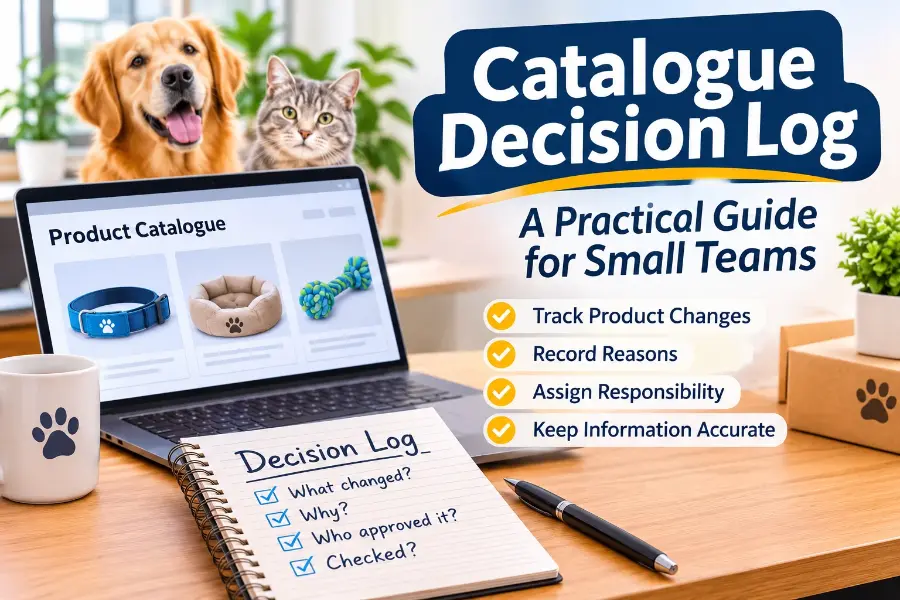
The goal is to make catalogue management easier by keeping important decisions clear, organised, and easy to understand.
Decide Which Catalogue Changes Need to Be Recorded
Not every small edit needs to go into a decision log. Focus on changes that another team member might question or need to understand in the future.
For example, you may want to record:
- Changes to product names or titles.
- Updates to product sizes or measurements.
- Corrections to package quantities.
- Changes to product descriptions or photographs.
- Moving products into different categories.
- Updates based on new supplier information.
Simple spelling corrections usually do not need a separate record. However, changes that affect product details or customer information deserve more attention.
It is also important to distinguish between factual corrections and design choices. Correcting an incorrect package quantity requires reliable product information. Shortening a product title may simply be a presentation decision. Both can be recorded, but the reason should be clearly explained.
Identify the Exact Product and Location
Every catalogue decision log entry should make it easy to identify the product being changed.
Include basic information such as:
- Date of the change.
- Product name.
- Product code or SKU (Stock Keeping Unit).
- Exact size, colour, or variant.
- Location where the change will appear.
For example, writing “updated travel bag” may not be clear enough if a business sells several types of travel bags. Adding the product SKU and exact variant helps prevent confusion.
You should also mention where the information appears. A product may have details on a website, in a printed catalogue, on a product insert, or in a wholesale document.
Updating one location does not always mean every other location has been updated. Tracking these details helps teams avoid inconsistent product information across platforms.
Explain the Reason Behind Each Product Update
One of the most important parts of a catalogue decision log is the reason for the change.
A note such as “description updated” does not tell anyone much. A better explanation would be:
“The previous description stated that a strap was included, but the approved packing list confirms that it is sold separately.”
This gives the next person a clear understanding of the problem and why the correction was necessary.
Whenever possible, include:
- The previous information.
- The new information.
- The reason for the change.
- The supporting document or information source.
Keep explanations short and use simple language. There is no need to copy entire email conversations or long reports into the log.
If information is still unclear, mention that as well. For example, if two supplier documents show different product measurements, mark the decision as awaiting confirmation. This prevents unconfirmed information from being presented as fact.
Assign Responsibility to the Right Team Members
A product catalogue management process becomes more useful when everyone knows who owns each step.
For every important change, identify:
- The person responsible for confirming the information.
- The person responsible for approving the change.
- The person responsible for updating the catalogue.
In a small business, one person may handle all three responsibilities. That is perfectly fine, as long as the responsibilities are clear.
You can also use simple status labels to track progress:
- Proposed: The change has been suggested.
- Awaiting Confirmation: More information is needed.
- Approved: The change has been accepted.
- Applied: The update has been made.
- Checked: The updated information has been reviewed.
These labels help everyone understand the current situation. For example, an approved change should not automatically be considered completed until the actual product catalogue has been updated.
Understand Catalogue Management Through a Simple Example
Consider a hypothetical pet accessories business that sells two versions of a product: a single-item pack and a two-item pack.
The product page for the two-item pack displays a photograph showing only one item. A team member suggests adding the word “Pair” to the product title so customers can understand the quantity more easily.
Before making the change, the team should check the approved product information to confirm that the pack contains two items.
The decision log could then record:
- Product: Pet accessory, two-item variant.
- Current Issue: The photograph shows only one item.
- Proposed Change: Add “Pair” to the product title.
- Reason: Make the package quantity clearer.
- Supporting Information: Approved product record.
- Next Step: Review and update the product photograph.
After approval, the editor can update the title and check the product page. The team should also confirm whether the photograph has been corrected or whether further work is needed.
This simple example shows why recording catalogue decisions is helpful. It connects the original problem with the action taken and any remaining work.
Check Every Catalogue Update Before Closing the Record
Saving a change does not always mean the work is complete.
The updated product information should be checked in the actual location where customers or team members will see it.
For example, after changing a product title, check that the new title appears correctly on the published product page. If the package quantity has changed, make sure the description and other related details show the same information.
Pay attention to:
- Product titles and descriptions.
- Size and quantity information.
- Product images.
- Product variations.
- Related catalogue pages.
Once the review is complete, add a short note explaining what was checked.
For example:
“Checked the two-item product page. The title and package description now match. The replacement photograph is still pending.”
This is much more useful than simply writing “Completed.”
If another issue appears during the review, keep the original decision record and add a follow-up entry. This helps preserve the work’s history.
Keep Your Catalogue Decision Log Simple and Organised
A catalogue decision log should save time, not create extra work.
Small businesses can use a shared spreadsheet or a simple document to record important catalogue changes. You don’t need to buy expensive software just to maintain a basic record.
Choose a location that the responsible team members can access. Use clear headings, consistent product references, and simple status labels.
It is also helpful to review unfinished decisions during an existing team meeting or regular work review. This lets everyone identify pending tasks without scheduling additional meetings.
Older records can be archived, but they should remain easy to find. A previous decision may become important when a product is updated again, or a similar issue appears.
FAQs
Managing product catalogue changes can raise several questions, especially for small businesses. Below, we answer some common questions about Catalogue Decision Logs, including their importance, essential information, responsibilities, and best practices for keeping records organised.
A Catalogue Decision Log is a simple document used to record changes made to a product catalogue. It helps businesses track important decisions and understand why updates were necessary.
A typical log records:
- What product information was changed.
- Why the change was required.
- Who approved the decision.
- When the update was completed.
Keeping these details organised helps businesses maintain accurate product information and track previous decisions.
A Catalogue Decision Log helps businesses manage product catalogue updates without losing important information. It also improves communication between team members and reduces confusion.
Its main benefits include:
- Keeping a record of catalogue changes.
- Preventing repeated mistakes.
- Improving team communication.
- Making previous decisions easier to review.
- Maintaining consistent product information.
Using a decision log makes catalogue management more organised, transparent, and reliable.
A useful Catalogue Decision Log should include enough information to clearly explain each catalogue change. Businesses can include the following details:
- Product name: Identifies the product being updated.
- Product ID: Helps locate the correct product.
- Change description: Explains what was modified.
- Reason for change: Describes why the update was necessary.
- Responsible person: Identifies the team member handling the update.
- Approval details: Records who authorised the change.
- Completion date: Shows when the update was finished.
Including these details makes it easier to review changes and understand the history of each product update.
Businesses should record catalogue changes that affect product information, customer experience, or daily operations.
Common examples include:
- Changes to product prices.
- Updates to product descriptions.
- New product images or specifications.
- Changes to product categories.
- Updates to product availability.
- Adding or removing products.
Recording these updates helps businesses maintain consistent catalogue information and avoid overlooking important changes.
A catalogue manager, product manager, or designated team member can take responsibility for maintaining the decision log. However, everyone involved in catalogue updates should contribute accurate information.
Responsibilities may include:
- Catalogue manager: Oversees the decision log.
- Product manager: Reviews and approves important changes.
- Content team: Updates product descriptions and images.
- Inventory team: Provides availability and stock information.
- Quality checker: Verifies completed updates.
Clearly assigning responsibilities helps businesses maintain accurate records and complete catalogue changes efficiently.
Yes. Small businesses can easily use Microsoft Excel or Google Sheets to create and maintain a Catalogue Decision Log. These tools provide a simple way to organise information without investing in expensive management software.
A basic spreadsheet can include:
- Product name and ID.
- Description of the change.
- Reason for the decision.
- Assigned team member.
- Approval status.
- Update and completion dates.
A well-organised spreadsheet is often enough for small businesses that need a simple, affordable catalogue management system.
A Catalogue Decision Log should be updated whenever an important catalogue change is requested, approved, or completed. Recording information promptly helps businesses maintain an accurate history of their decisions.
Businesses should follow these practices:
- Record new change requests as soon as they arise.
- Update approval information after a decision is made.
- Mark changes as completed after implementation.
- Review the log regularly for missing information.
- Correct outdated or inaccurate entries.
Regular updates ensure that everyone works with reliable information and can easily understand the latest catalogue decisions.
Businesses can reduce catalogue management mistakes by following a consistent recording and review process. Every change should be clearly explained and checked before the record is closed.
Helpful practices include:
- Use consistent product names and IDs.
- Explain each change in simple language.
- Record the reason behind every decision.
- Assign responsibility to specific team members.
- Verify updated product information.
- Review completed entries for errors.
Following these practices helps businesses reduce confusion, prevent unnecessary mistakes, and maintain reliable product catalogue records.
A well-maintained Catalogue Decision Log helps businesses manage product updates, track important decisions, and improve teamwork. By keeping records clear and organised, even small businesses can make catalogue management easier and more efficient.
Conclusion
Managing small catalogue changes becomes easier when every important decision has a clear explanation. A simple catalogue decision log helps teams understand what changed, why, who was responsible, and whether the work was properly checked.
Small businesses don’t need complicated systems to do this. A shared document or spreadsheet, supported by clear notes and simple responsibilities, can provide enough structure for everyday product catalogue management.
The most useful decision log is one people can understand and maintain easily. By keeping records short, accurate, and organised, small teams can reduce confusion, avoid repeated work, and maintain more consistent product information.
About the Author
Roan Cong is the Sales Manager at Pawlivy, a pet supplies business based in China. He is interested in practical ways to improve product information, catalogue management, and everyday business operations.
Website: https://pawlivy.com/






- Be Respectful
- Stay Relevant
- Stay Positive
- True Feedback
- Encourage Discussion
- Avoid Spamming
- No Fake News
- Don't Copy-Paste
- No Personal Attacks
- Be Respectful
- Stay Relevant
- Stay Positive
- True Feedback
- Encourage Discussion
- Avoid Spamming
- No Fake News
- Don't Copy-Paste
- No Personal Attacks
